


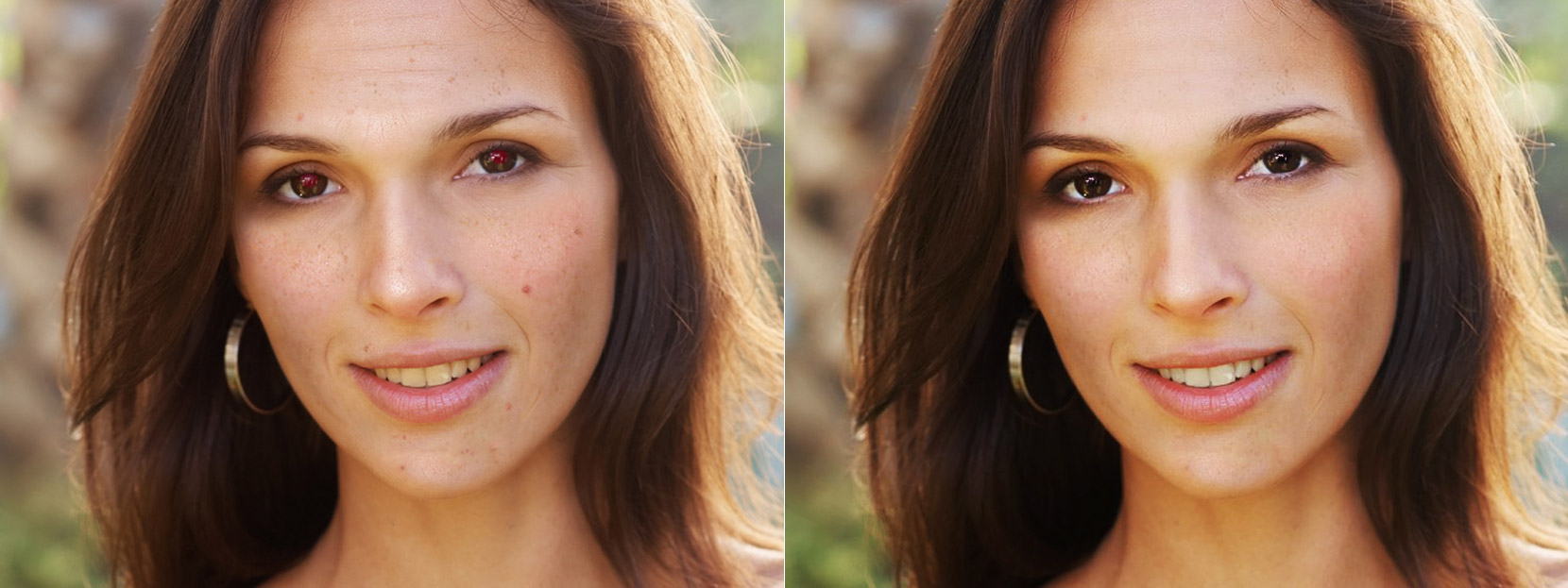
Easy online portrait retouching enhances your portrait making it look beautiful, yet natural
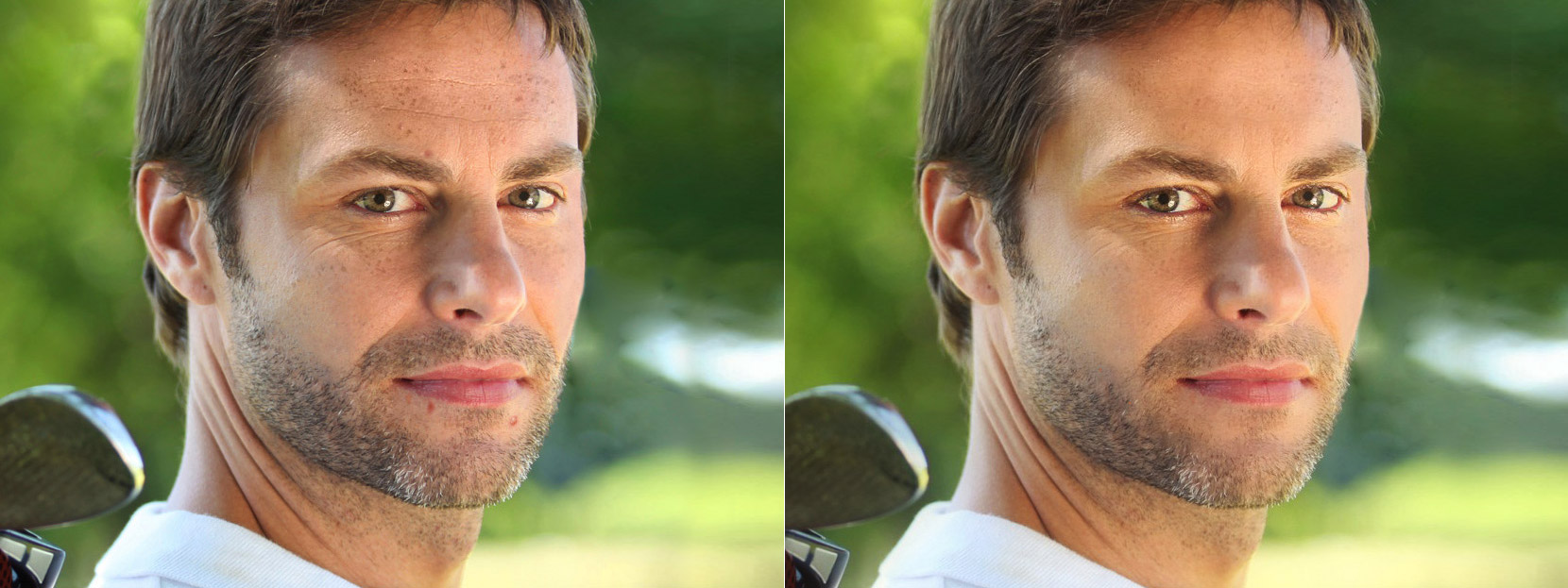
Makeup.Pho.to removes blemishes, spots and wrinkles and makes color enhancement
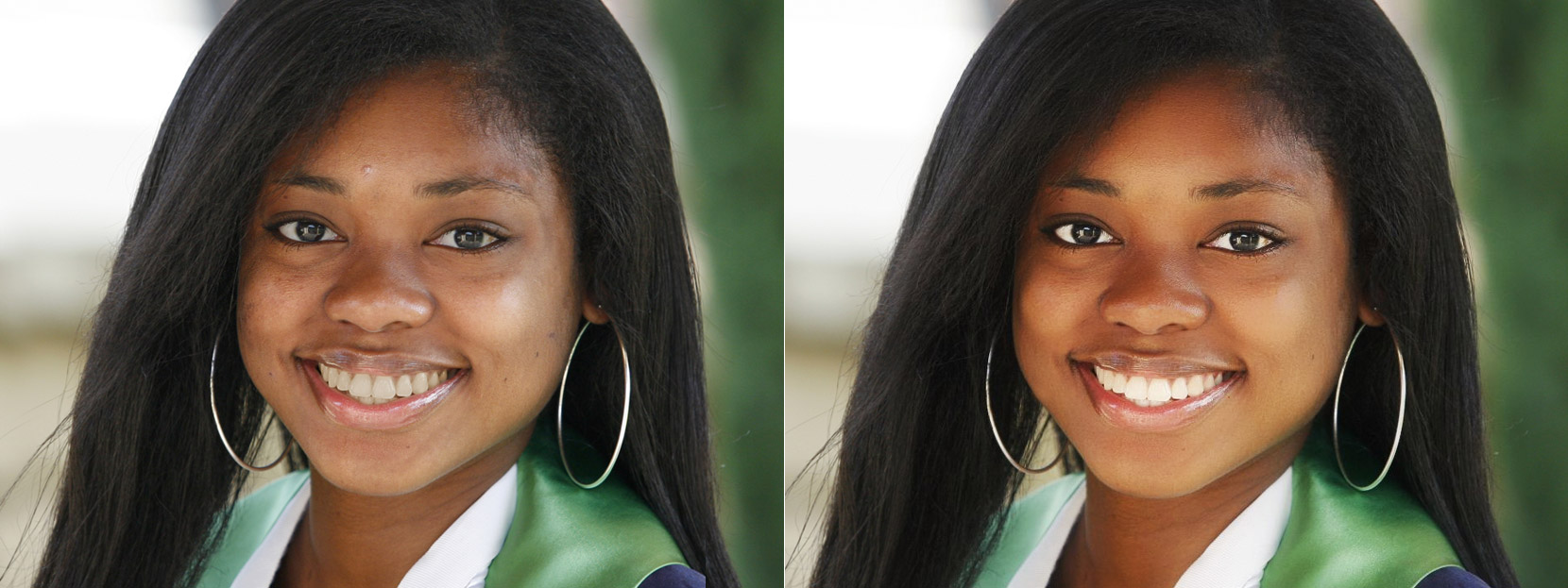
Virtual makeup in a click: remove red eyes, get rid of acne and wrinkles and whiten the teeth!
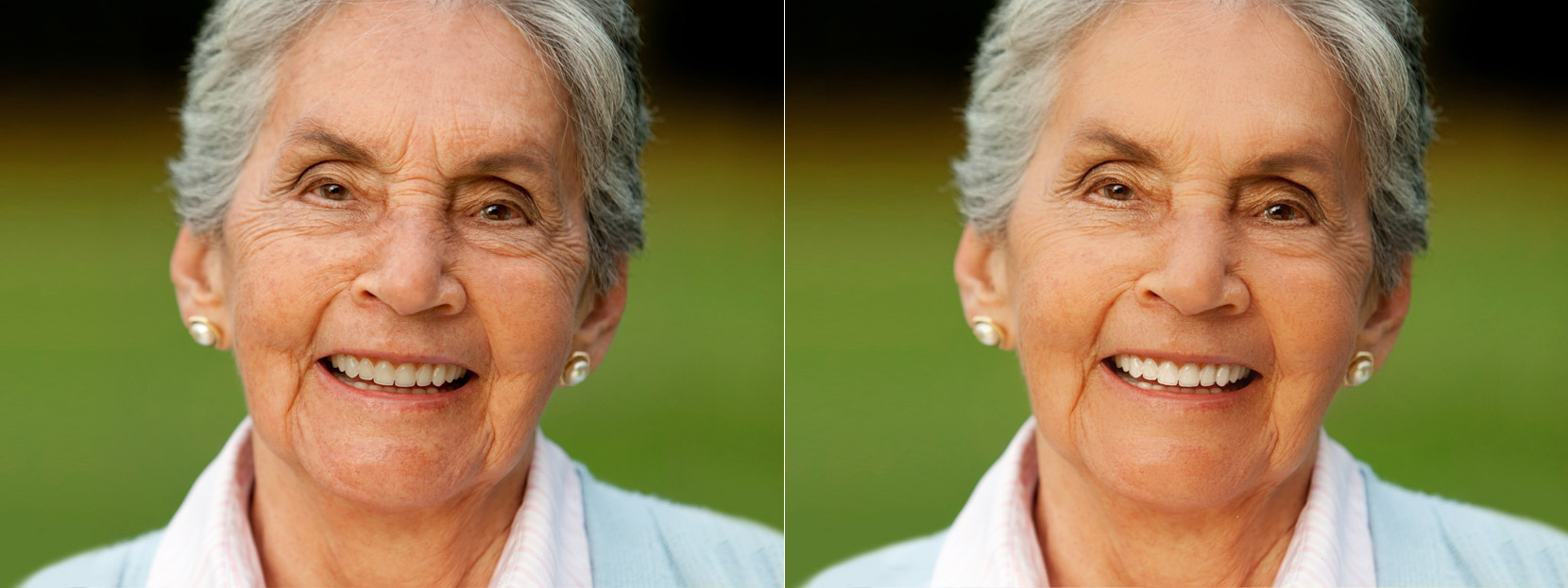
Beautiful at any age: face photo retouch with anti-aging and facelift effect makes your skin look smoother and younger
What can I do with Makeup.Pho.to?
- Fully automatic face retouch
- Skin makeup (skin smoothing, including removal of face shine, grease, sweat, imperfections and wrinkles)
- Eye makeup to enhance eye color and sharpness
- Red eyes removal
- Teeth whitening for a perfect smile
- Color enhancement for adjusting the lighting on the face
- 40+ stylish photo effects
- Skin makeup
- Shine remover
- Wrinkle smoothing
- Teeth whitening
- Red eye remover
- Color effects
- Stylish effects
What users say
Airbrushes your pics to look flawless Amazing app, I love how it automatically corrects all the flaws and lighting, then you can also do lots of other cool effects. I deleted all my old photo apps after getting this one :)
Excellent app My favourite app, really cool, quick, and I use it all the time. Now I can't share my photo without this. Because it makes my photos way much better!!!
Love it! This works very well with imperfections. I was very pleased with the results. Thank you.
How to retouch a portrait online?
Did you know that automatic online photo retouch is free and just a couple of clicks away? At Makeup.Pho.to you can enhance your portrait online quickly and easily!
Just upload your face photo and see an instantly enhanced portrait!
The service automatically removes red eye and skin defects (pimples, wrinkles, etc.), makes the skin look matte and whitens the teeth.
To give your skin a tanned look, enhance the portrait with soft focus effect and blur the background there is the 'Glamour effect' option. In case there are several faces in a photo, all of them will be enhanced.
Virtual makeup will help you to outline the eyes, remove red eye, improve skin texture and whiten the teeth in your portrait photo. Thanks to the advanced face detection algorithm, all these face retouch effects are fully automated.
So, first the algorithm finds the eyes in a photo, then scans them for the red eye effect and corrects the color of pupils if needed. Similarly, the algorithm performs skin retouching: it analyzes the skin color, evens out the skin and removes imperfections and oily glare. Besides, the algorithm enhances a person's look by whitening the teeth and the whites of the eyes.
Enhance your photoSave and share the result
If you like your enhanced picture and want to save it, use the 'Save & share' button on a result page. It is very likely that you would want to use your improved face photo as a profile picture on social networks or dating sites.
You can also use Makeup.Pho.to to retouch your photos before printing them or sharing them on your blog or website. All the more so because this online service is so fun and easy to use!
Mobile app for face retouching
Take a photo with your device's camera right from Visage Lab app or choose any portrait picture from your gallery to get a professional retouch in seconds!
The app will remove pimples and wrinkles, outline the eyes and whiten the teeth. Further, you can play with 40+ beautiful effects to add more style and character to the photo.
Choose from Photos
Browse your albums until you find a picture you want to use
Select a new photo